
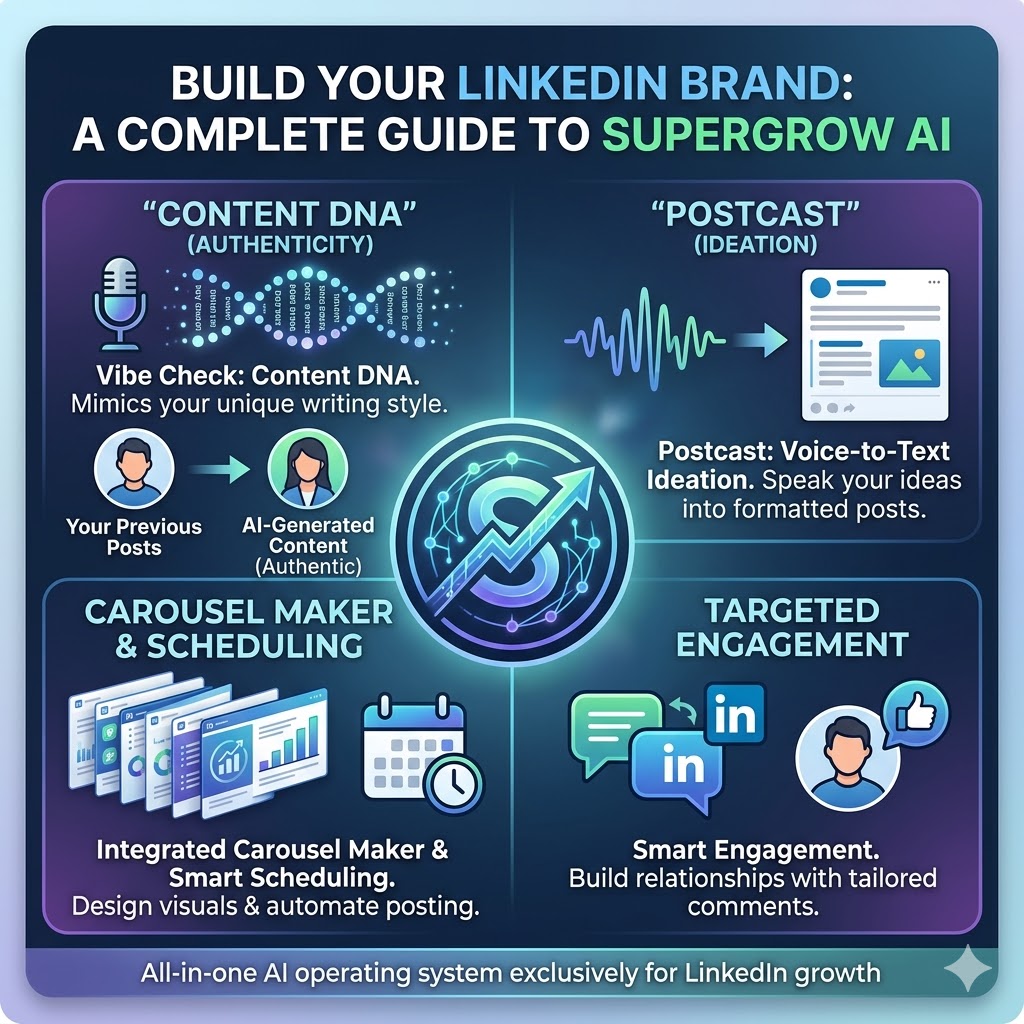
Supergrow.ai is an AI-powered content creation and personal branding platform designed exclusively for LinkedIn.
Instead of acting as a generic text generator, Supergrow functions as an “all-in-one” operating system for LinkedIn growth. It helps professionals, founders, and marketing teams create authentic content, design visual carousels, schedule posts, and interact with their network without ever leaving the platform.
Here is a breakdown of how the platform works and its core features.
How Supergrow Works: The Pursuit of “Authenticity”
The biggest complaint about using AI for LinkedIn is that the output often sounds robotic or generic. Supergrow tackles this through two main workflows:
- Content DNA (Voice Cloning): To start, you feed the AI 10 or more of your previously written posts. The AI analyzes your vocabulary, sentence structure, and formatting preferences. Once it learns your “Content DNA,” all future posts generated by the tool will mimic your unique writing style.
- Postcast (Voice-to-Text Ideation): For users who hate writing, Supergrow offers AI interviews. You can record a short voice note or speak your ideas into the app for 10 minutes, and the AI translates your spoken thoughts into a week’s worth of fully formatted LinkedIn posts.
Key Features of the Platform
Supergrow bundles several tools that are usually sold as separate software subscriptions:
- Content Repurposing: You can paste a YouTube URL, a blog post, or upload a PDF, and the AI will extract the key takeaways and format them into a LinkedIn-friendly post.
- Integrated Carousel Maker: Carousels perform incredibly well on LinkedIn. Supergrow includes a drag-and-drop editor with pre-designed templates, allowing you to turn text into visual slideshows directly within the app.
- Smart Scheduling: It features a drag-and-drop Kanban board and a visual calendar. You can schedule text, images, and carousels for optimal times, and it even includes an “auto-add first comment” feature to boost initial engagement.
- Targeted Engagement: You can create custom lists of prospects, influencers, or key connections. Instead of scrolling the chaotic LinkedIn feed, you can view their posts in one place and use AI assistance to drop meaningful comments.
- Team Workflows: For marketing agencies or internal communications teams, Supergrow offers admin dashboards and approval workflows to manage content for multiple executives from a single hub.
Pricing Structure
Supergrow offers a 7-day free trial and operates on a tiered subscription model:
- Starter Plan ($19/month): Best for solo creators getting started. Includes basic AI generation, voice learning, and scheduling.
- Pro Plan ($39/month): Designed for active creators. Unlocks unlimited Postcast sessions, the carousel maker, infographic generators, and advanced analytics.
- Teams Plan ($139/month): Built for agencies and marketing teams. It includes 4 accounts, team analytics, approval workflows, and centralized management.
(Note: Pricing drops by 20% if billed annually).
Who Should Use Supergrow?
Supergrow is highly specialized. It is an excellent choice if your primary focus is strictly on LinkedIn and you want to reduce the hours spent staring at a blank screen. However, if you are looking for a multi-platform social media scheduler (e.g., to post simultaneously on X/Twitter, Instagram, and LinkedIn), you might find its strict LinkedIn focus limiting.